Turn scattered bathroom numbers into reliable, time-stamped signals for family care.
A late-night call from a distant adult child about a parent27s unexplained weight loss is familiar: a single photo of the scale lives in text threads, while months of subtle decline go unnoticed. Missed trends happen when readings are irregular, sharing is manual, or apps are confusing.
Common friction points include inconsistent data capture, fragmented sharing between family members, clunky or inscrutable apps, consent and privacy concerns, and the perception of high cost. A consumer smart scale with dependable remote-sharing removes much of that friction by automatically logging time-stamped readings to the cloud, offering configurable sharing and permissions, and sending alerts on predefined trends. Automatic profile recognition, family accounts, and straightforward setup let the device blend into daily routine rather than becoming another task. The result: lower caregiver cognitive load, faster detection of change, and a practical way to reduce health-related risk at modest cost.
- RENPHO Wi-Fi Body Composition Smart Scale — top pick; Wi‑Fi cloud sync and family profiles
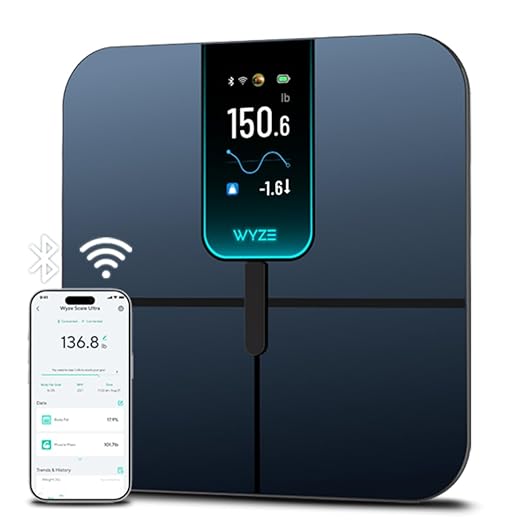
- Wyze Scale Ultra — budget-friendly; large display and full body metrics
- Etekcity FSA/HSA Eligible Smart Scale — runner-up; eligible for medical spending accounts
Three Picks for Family Sharing

Prioritized factors for caregivers
-
Reliable connectivity and low latencyScales must deliver readings and alerts promptly so remote caregivers can act on trends or sudden changes. Prefer Wi‑Fi with cloud sync or a stable hub integration.Look forWi‑Fi/cloud sync, confirmed delivery timestamps, push alertsAvoidUnreliable Bluetooth-only links or no push notifications
-
Multi-user profiles and permission controlsSeparate profiles keep household members’ metrics distinct and support consented sharing; caregiver/admin roles prevent credential sharing.Look forDistinct profiles, family sharing, caregiver access controlsAvoidSingle-account designs that require sharing primary credentials
-
Accuracy, capacity, and repeatabilityConsistent measurements and an adequate weight limit are essential for trend detection; check stated accuracy and calibration procedures.Look forHigh capacity (300+ lb/136+ kg), repeatable readings, calibration guidanceAvoidVague accuracy claims, low weight limits, inconsistent results
-
App/platform integration, privacy, accessibility and costConfirm the companion app runs on household devices, review privacy and data-sharing policies, check display legibility, and watch for subscription fees. See choosing monitors that work for larger body sizes for related compatibility considerations.Look forOpen-platform support, clear privacy policy, large-font display, no surprise subscriptionsAvoidClosed ecosystems, mandatory paid cloud services, tiny on-device displays
Quick tip: prioritize stable delivery and sharing over bells‑and‑whistles.
Start with a Wi‑Fi model that supports multiple profiles. Verify weight capacity and repeatability before purchase. Compare RENPHO, Wyze Scale Ultra, and Etekcity for realistic trade-offs.How the recommendations were tested
Testing emphasized real-world family use: multi-person profiles, repeated measurements, connectivity stressors, and caregiver sharing and consent flows.
-
Multi-user accuracy checks
Three to six household profiles were used; repeated morning and evening measurements were compared to a calibrated clinical reference to quantify bias and repeatability.
-
Connectivity and sharing stress tests
Wi‑Fi and Bluetooth stability were measured at varied distances and on congested networks; simultaneous account access, notification delivery, and third‑party links were verified, including integrating continuous glucose data with other home devices.
-
Privacy and caregiver workflows
Delegated access, consent revocation, and account recovery were exercised in caregiver scenarios; app permissions, cloud retention, and export controls were audited for practical safety.
All‑around family scale
01
Tracks 18 metrics with auto cloud sync
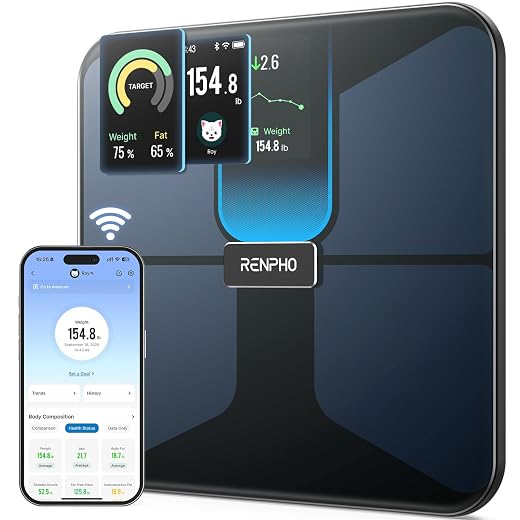
RENPHO Wi‑Fi Body Composition Smart Scale combines cloud syncing, automatic multi‑user recognition and a large TFT readout for households that need shared, at‑a‑glance tracking. Suits multi‑member families and caregivers who want near‑real‑time access to weight and body‑composition trends without a complex setup.
- Reliable Wi‑Fi cloud sync for remote access
- Automatic user recognition for multiple profiles
- Tracks 18 body metrics on a bright TFT display
- Rechargeable battery and 400 lb capacity
- Simple setup via Wi‑Fi or Bluetooth
- App lacks granular, read‑only caregiver roles
- Data export/sharing options are basic
- Some metrics depend on hydration/placement
Technical snapshot
| Connectivity | Wi‑Fi & Bluetooth |
| Measurements | 18 metrics |
| Display | TFT display |
| Battery | Rechargeable |
| Max capacity | 400 lb |
RENPHO’s Wi‑Fi smart scale is the best all‑around choice for families. It reliably uploads readings to the cloud, auto‑assigns profiles to household members and presents a clear history that caregivers can access remotely. Trade‑offs include limited in‑app caregiver roles and basic export/sharing tools—adequate for most home care needs but not a substitute for clinical platforms.
Best for busy families on the go
Readable, connected scale for cost‑conscious families. The Wyze Scale Ultra pairs a very large 4.3″ color screen with Wi‑Fi and Bluetooth auto‑sync so household members see a clear local readout and trends in the app without needing a phone on the scale. Good for busy homes that want remote visibility without premium build or enterprise sharing controls.
- Extra‑large 4.3″ color display makes step‑on readings easy to read
- Wi‑Fi and Bluetooth auto‑sync uploads weigh‑ins without a phone present
- Tracks 13 body metrics (weight, BMI, body fat, muscle mass, heart rate, etc.)
- Accurate 0.1 lb readout and 400 lb capacity at a low price
- Plastics and tempered glass feel budget‑grade compared with premium metal models
- Sharing is account‑based with basic family/profile support — no granular caregiver permissions
- Limited third‑party integrations compared with higher‑end scales
- Heart rate only viewable inside the Wyze app
Excellent value for households that need readable local readings plus cloud sync. The large TFT display and automatic Wi‑Fi/Bluetooth upload make daily checks and remote trend tracking straightforward. Price compromises show up in plastic/tempered‑glass construction and basic sharing controls — suitable for families, not for clinical caregiver workflows.
Apple Health compatible, cloud sync
A straightforward, FSA/HSA‑eligible smart scale that suits caregivers who need reliable numbers and simple documentation rather than elaborate family dashboards. Setup and syncing focus on stability and health‑app integration instead of granular cloud sharing.
- FSA/HSA‑eligible purchase designation for reimbursement
- Stable Wi‑Fi setup with VeSync app and Apple Health sync
- Consistent, repeatable weight readings across users
- Simple, local‑style display (TFT) for quick at‑home checks
- Sharing permissions are basic — not per‑contact family feeds
- Fewer advanced metrics or granular cloud controls than flagship models
- App UI can be busy with nonessential features
Key specifications
Reliable and reimbursement‑friendly. The scale pairs stable Wi‑Fi syncing with VeSync and direct health‑app integration, so purchase receipts plus clear weight logs make FSA/HSA claims and clinical tracking straightforward. Measurements are consistent across repeated tests, and the simple TFT readout keeps day‑to‑day use painless. Caregivers who need per‑person cloud feeds or highly granular sharing controls should consider a different model; this one emphasizes dependable data and clean documentation over complex family dashboards.
Minimal‑risk steps to enable remote sharing
-
Account and Wi‑Fi prep
Ensure a stable 2.4 GHz Wi‑Fi network, router password, and a dedicated email address for the primary user account. Confirm the phone or tablet used for setup has the latest OS and the scale app installed.
-
Create the primary user
Open the manufacturer app, register the primary user with the dedicated email, and complete any in‑app profile fields (age, height). Verify the account by clicking the confirmation email.
-
Enable cloud sync
In the app, add the scale and complete Wi‑Fi pairing. Confirm cloud/online sync is enabled and note the app’s ‘last sync’ timestamp.
-
Add caregiver or view‑only accounts
Use the app’s family, guest, or invite feature to add caregiver accounts. Select view‑only or restricted access where available; send the invite and confirm account acceptance.
-
Verify remote history
Have the primary user take a weigh‑in; ask the caregiver to open their app and confirm the new entry appears in the shared timeline within the expected sync window.
-
Enable alerts and permissions
Turn on push/email alerts and set threshold rules (weight change, missed weigh‑ins). Also enable data sharing to Apple Health/Google Fit if the caregiver uses an aggregator.
Force a sync: step on the scale and check the app’s ‘last sync’ time.
Offline backlog: disable Wi‑Fi on the phone, weigh, re‑enable Wi‑Fi and confirm the entry uploads.
Notification check: trigger a threshold alert (small weight change) and confirm caregiver receives the push or email.
Permission check: have the caregiver open the shared profile and view at least three prior entries.
Reauthentication: log out and back into the caregiver account to confirm persistent access.
Common myths vs. reality
Readings are tied to an account and device; they aren’t posted to the internet for strangers by default.
Cloud sync requires account sign‑in and device pairing; sharing happens only when enabled or when credentials are shared.
Home scales provide trend-level weight and body-composition estimates, not clinical diagnostics.
Variability in algorithms, hydration, and positioning affects single readings—clinicians use calibrated instruments and context.
Some apps cache readings and upload them when a connection is restored; Bluetooth apps may still sync to phones.
Device software, paired phones, and cloud backups can move data even when the scale’s Wi‑Fi is off.
Follow a small set of consent and password practices to keep family data controlled.
- Use separate user profiles for each person and enable explicit consent before sharing a profile with caregivers.
- Require strong, unique passwords and enable two‑factor authentication where available; rotate or revoke access when roles change.
- Prefer view‑only sharing for caregivers and audit connected devices regularly.
Scales are best for trends, not one-time clinical decisions. Treat sudden changes (for example, >2 kg in 24 hours) as red flags that merit clinical follow-up, not just app alerts.
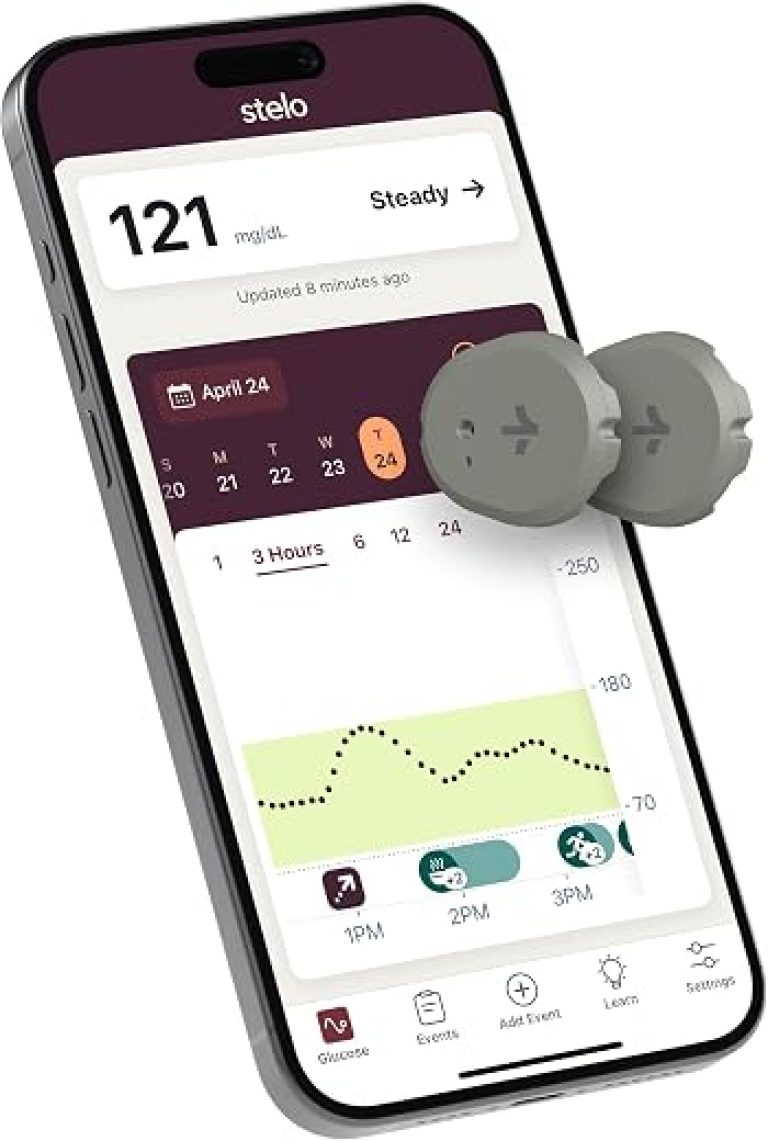
Integration notes: most scales sync to Apple Health/Google Fit and sometimes to vendor clouds; direct EHR integration is rare but possible via third‑party bridges. Combine weight trends with other home streams—activity, sleep and smart scales and glucose tracking for family care—to get meaningful context while keeping cloud sharing to a minimum.
Troubleshooting checklist
Quick fixes to try at home
- Power cycle the scale: remove batteries or unplug for 30 seconds, then reinstall. Repeat after the app or router has been restarted.
- Verify placement: confirm the scale sits flat on a hard, level surface and feet are clean — uneven floors cause inconsistent readings.
- Check connectivity: ensure connection to a 2.4 GHz network (many scales do not use 5 GHz), and move the router closer for a quick signal test.
- Update everything: install the latest firmware and app version, then log out and back into the account.
- Re-pair or re-add the device in the app before attempting a factory reset.
When to contact vendor support (and what to include)
Contact support if problems persist after these steps, if measurements jump more than ~2–3 lb between back-to-back readings, if cloud sync fails for >24 hours, or if account access looks compromised. When opening a ticket, provide: model and serial number, firmware/app versions, account email, timestamps of failed events, screenshots or error messages, and a brief list of fixes already attempted. For deeper diagnostics, enable app diagnostic logging or note the exact time of a replicated failure for vendor log retrieval.
Final buying rule and immediate next steps
- Primary buying rule: choose the scale by how readings must be shared — Wi‑Fi/cloud for automatic family access, Bluetooth for local control, FSA/HSA eligibility for reimbursement.
- Product quick picks: RENPHO for full-family cloud sharing and metrics; Wyze for lowest-cost accuracy; Etekcity when FSA/HSA documentation is required.
- Confirm compatibility: verify Apple Health/Google Fit and caregiver phone/app integration before purchase; ensure household Wi‑Fi or account access is available for cloud syncs and alerts if needed.
Buy by sharing need first. For unattended family access and passive cloud sync, choose a Wi‑Fi/cloud scale (RENPHO is the best fit). For the tightest budgets with decent accuracy and local control, the Wyze Scale Ultra delivers value. For employers or patients needing FSA/HSA receipts and simple, consistent readings, pick Etekcity.
Before relying on readings for care, finish this setup‑and‑test flow: confirm app and health‑platform compatibility, create profiles and caregiver access, run multiple weighings and force syncs, verify remote visibility and alerts, then document baseline values and timestamps. If any step fails, use the troubleshooting checklist or return/exchange—do not base clinical decisions on unverified remote data.